




Ordering Cat® parts shouldn’t slow you down. With Carolina Cat’s 70+ drop box locations across western North Carolina, you can order parts online and pick them up at a secure location close to your jobsite, without driving into a branch or waiting in line.
Save time. Keep your equipment moving.
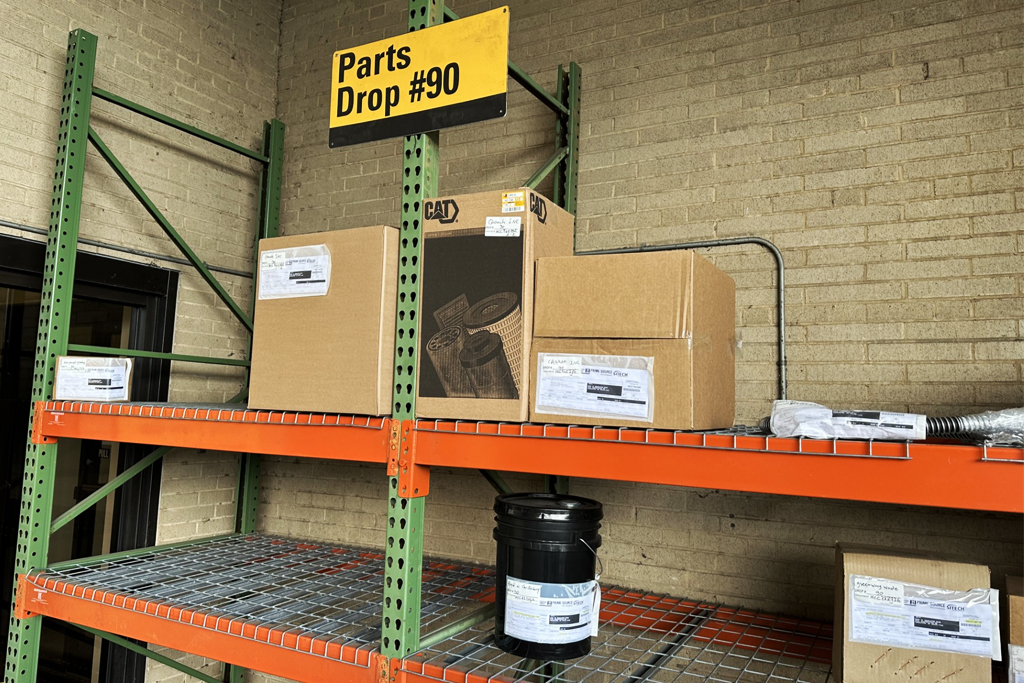

Pick up parts near your jobsite with no branch visit required!

Place your order the afternoon before and have it ready next morning at your nearest drop box.*
*Subject to availability

Get parts where you work across western NC.

Returns accepted at drop locations or in-store.
Find a Drop Box Location Near You
Order online at parts.cat.com/carolinacat and pick up at a secure location near you.
Step 1Add items to your cart
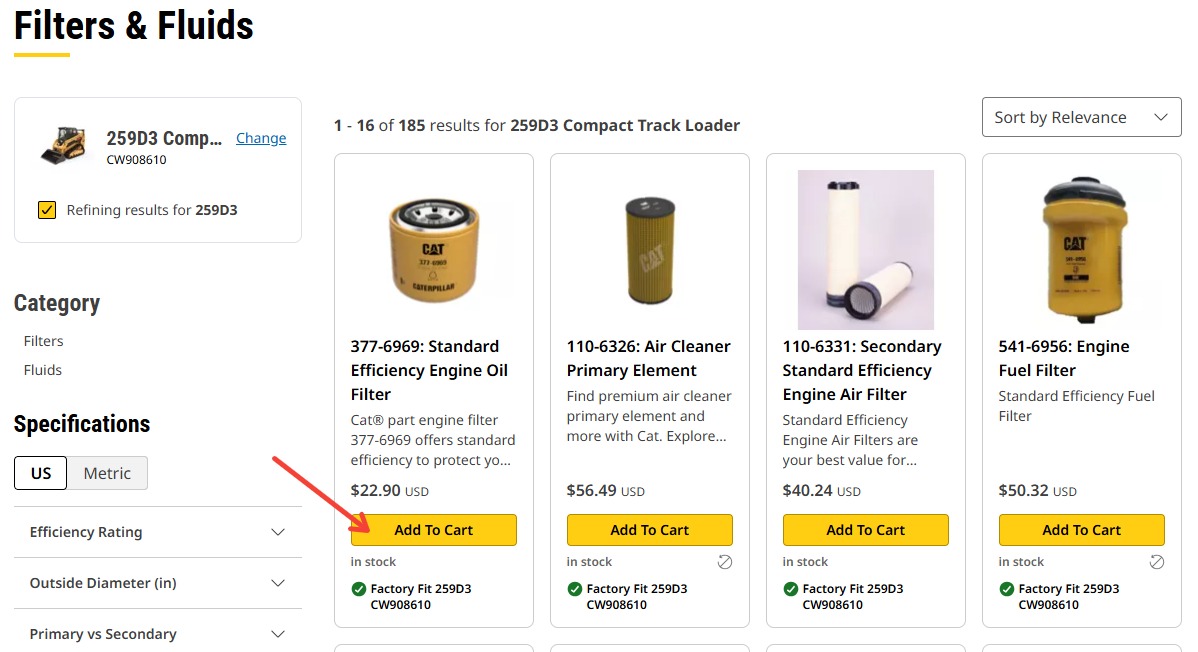
Find your parts and add them to your cart.
Step 2Proceed to your shopping cart

Click the cart icon in the top right of the screen.
Step 3Review your items then click “Proceed to Checkout”
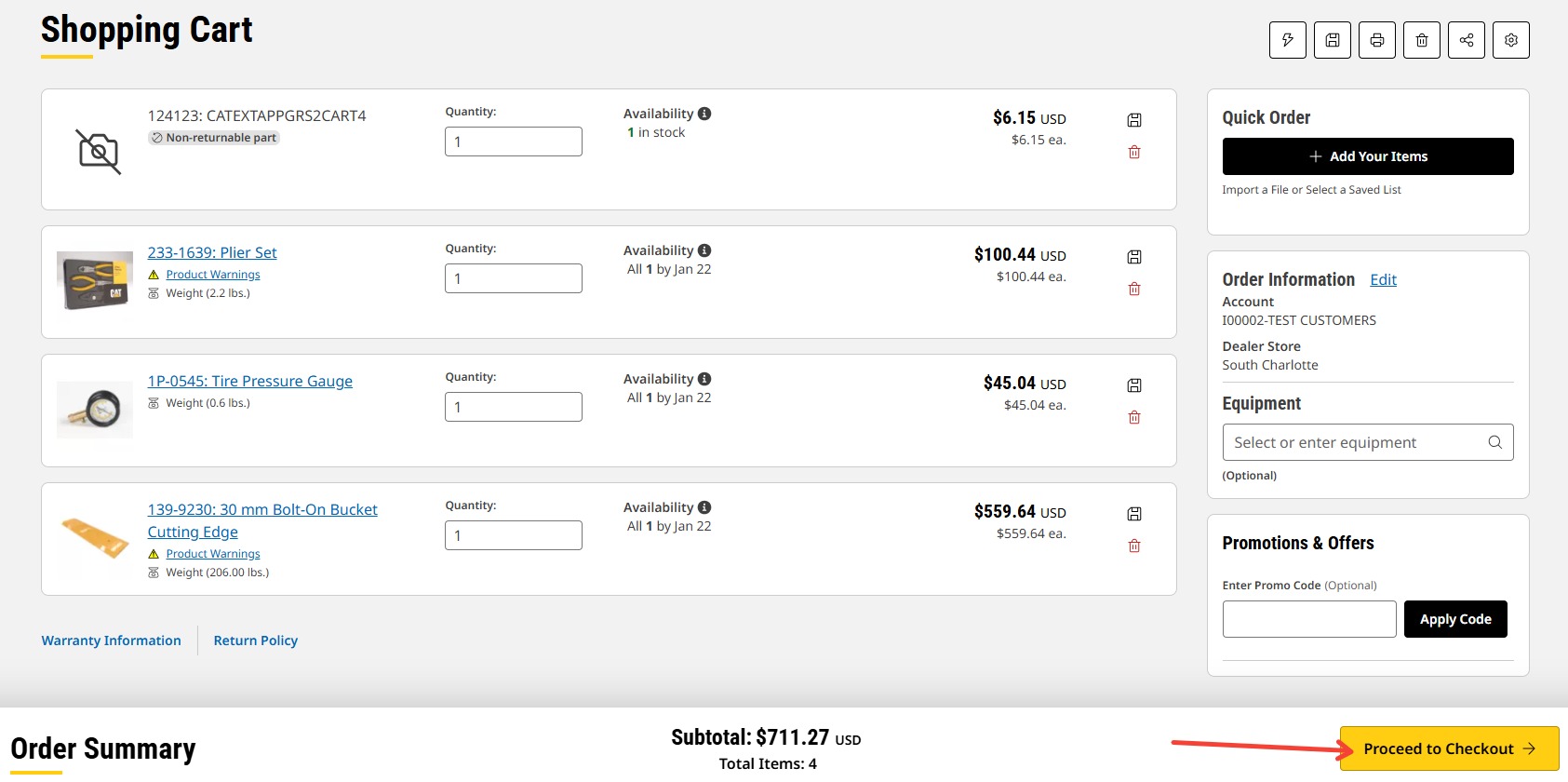
Confirm quantities and part numbers are correct then continue to delivery and payment.
Step 4Select the “Pickup & Dropbox” tab (top left)
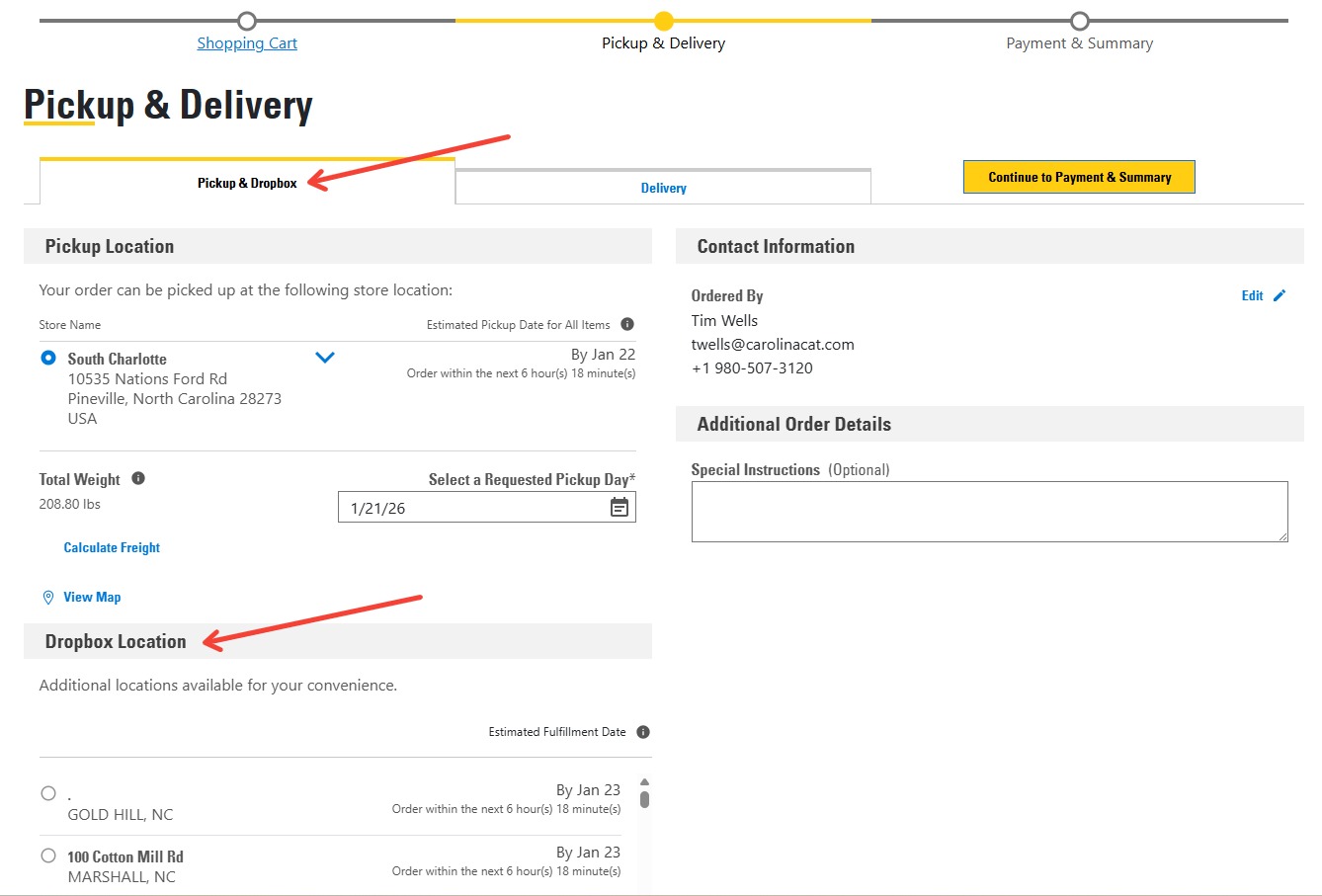
Choose Pickup & Dropbox to view nearby drop locations.
Step 5Choose your drop location & requested pickup day
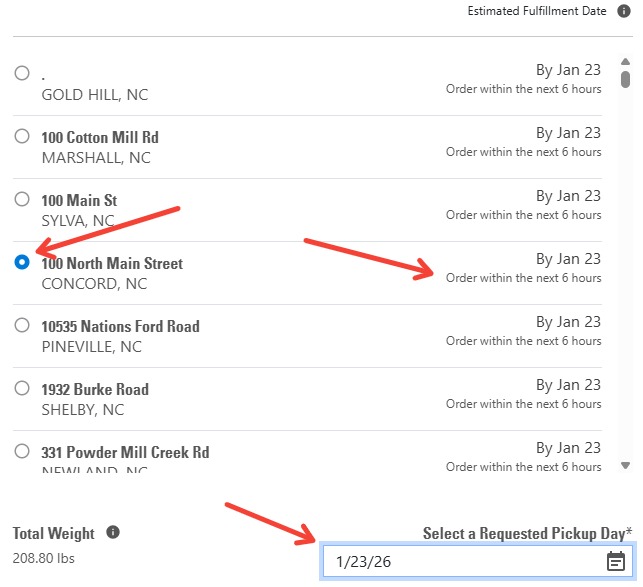
Scroll to find your preferred location.
*Requested pickup day is subject to stock availability.
Step 6Click "Continue to Payment & Summary"

Scroll to the bottom and click Continue to Payment & Summary to complete your order.
Step 7Select payment method & confirm order
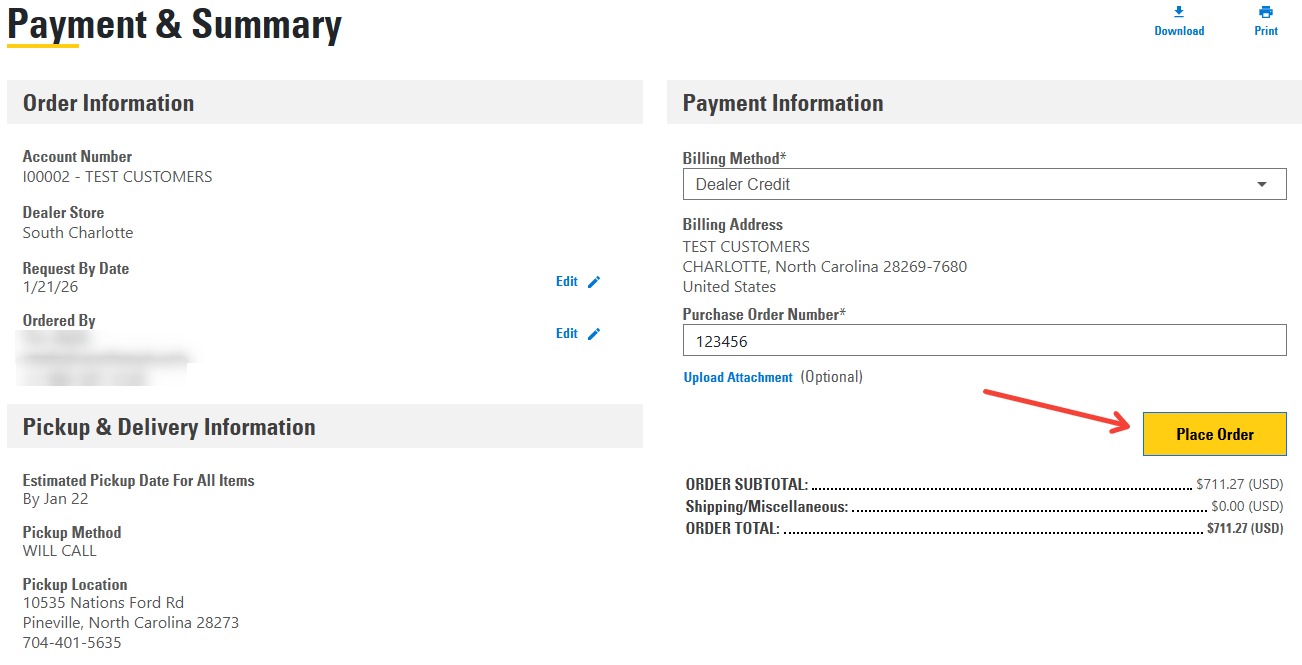
Choose your payment option and click “Place Order”.
Step 8Watch for your confirmation email
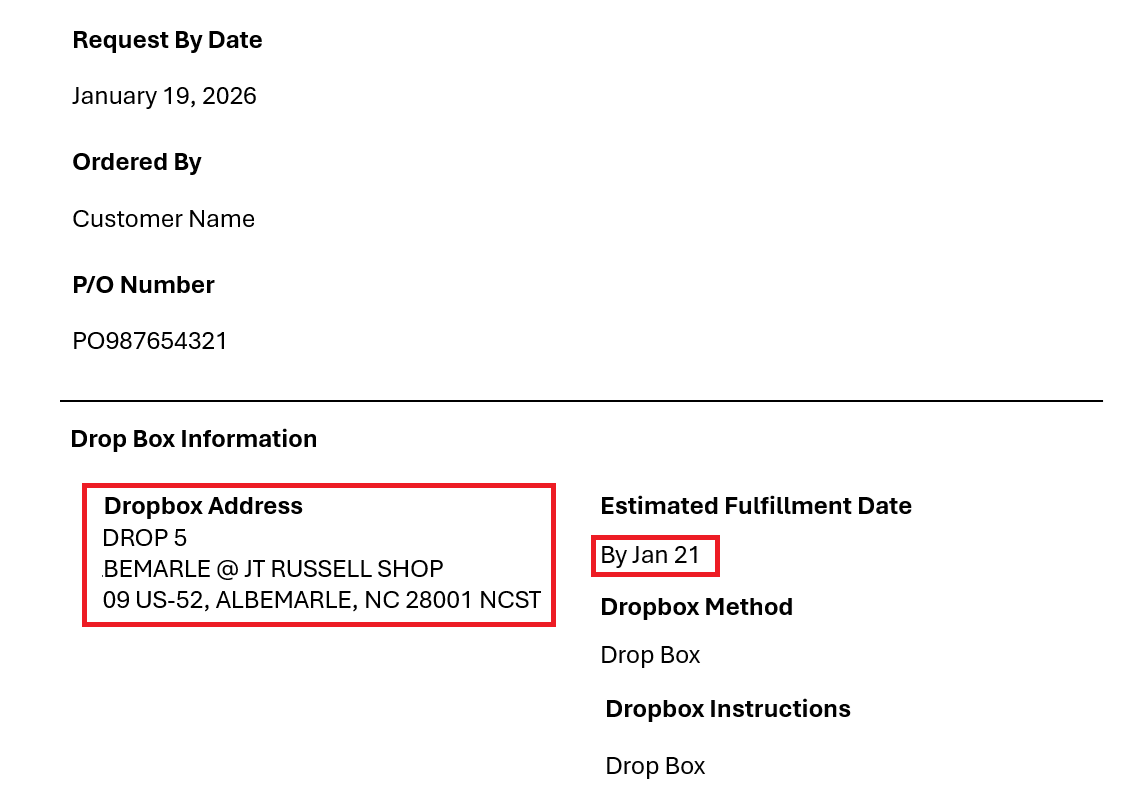
You’ll receive an email with:
Need to return an order? Returns are accepted at all drop locations. Start your return online and follow the instructions provided.
Please clearly label your item with “RETURN” on it so our delivery drivers know to pick it up.
Please note some items may incur a restocking fee. View our returns policy for more information.

Download the Cat Central App in the Apple App Store or Google Play Store.



Call our expert parts specialists to place an order or if you have any questions.
